One shared server set
Share approved server definitions alongside each member's own servers. Sharing an existing personal server keeps the personal original yours.
Give every teammate the same approved MCP servers across Claude, Cursor, Codex, and 32 more AI agents. Share the setup once; each person reviews it and authenticates locally. Free for 5 people, no card.
No account yet? Continuing creates one. Sign in with Google, GitHub, or email. Evaluating against edge portals? Toolport vs Cloudflare MCP portals.
Start in the browser, then connect Toolport and bring one working server to your team.
Sign in with Google, GitHub, or an email magic link. Free for up to 5 people.
Install the desktop app and connect it to your team from the dashboard.
Select a personal server to share its definition. Your personal original stays yours; credential values stay out of Teams.
Invite a teammate. They connect Toolport, review the shared setup, and supply their own credentials.
Connect the AI client to Toolport, select the managed server, and make a first tool call.

Shared servers, members, and reported activity in one dashboard. Token and dollar figures are modeled estimates, not measured invoices.
Share approved server definitions alongside each member's own servers. Sharing an existing personal server keeps the personal original yours.
Shared definitions omit local credential values. Each member authenticates locally; credentials are used with the configured upstream service, not stored in Teams.
Per-server access, per-tool allow-lists, and safety policy apply to managed calls routed through participating Toolport gateways. Receipts report client state, not tamper-proof device attestation.
Reported usage and modeled cost equivalents as CSV, team audit events, and opt-in per-call export (tool, time, duration, ok, args hash; never args or results). Free keeps 14 days; Team keeps full history.
Lazy discovery avoids loading every tool definition upfront. A documented GPT-5.5 benchmark measured 74–91% fewer provider-reported total tokens across three read-only tasks, five runs each, with 63 and 183 tools and equal graded success. Results depend on the client, model, and workload.
Use our hosted service, or run Teams control-plane and reporting state on your infrastructure. Same product and pricing, with local authentication for each member.
The shared server set, members, roles, and usage all sit in one place, nothing to dig for in config.
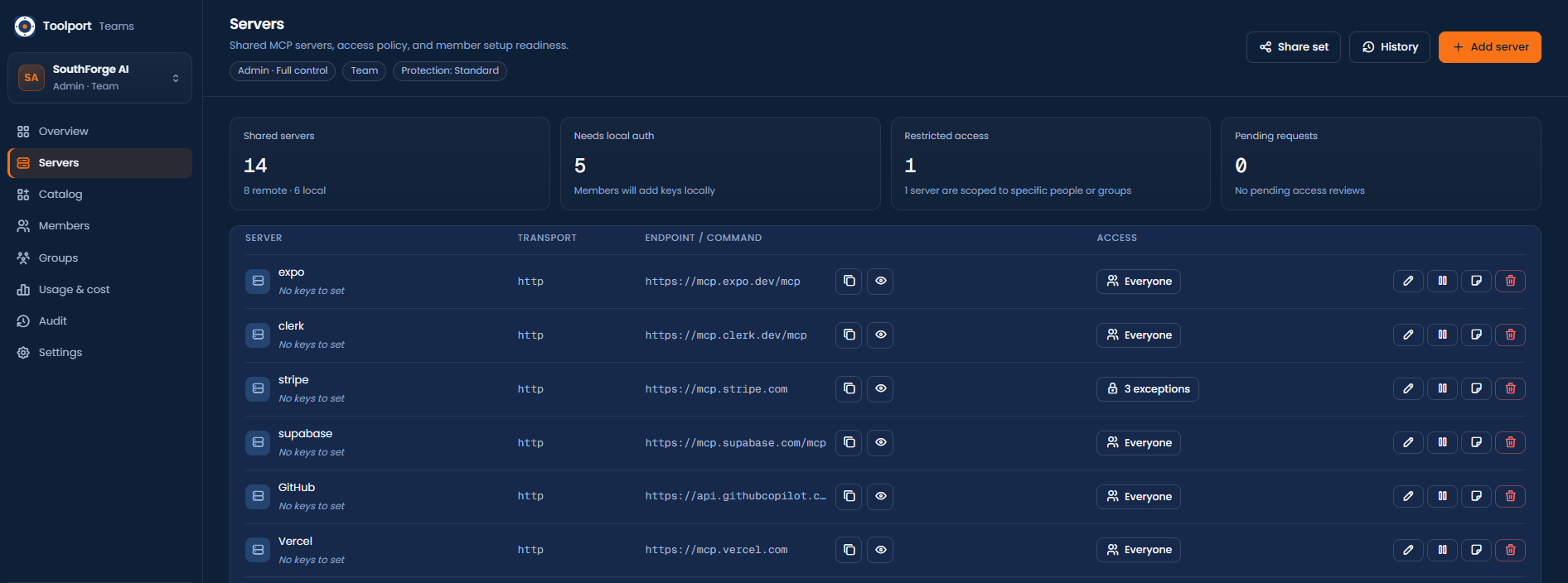
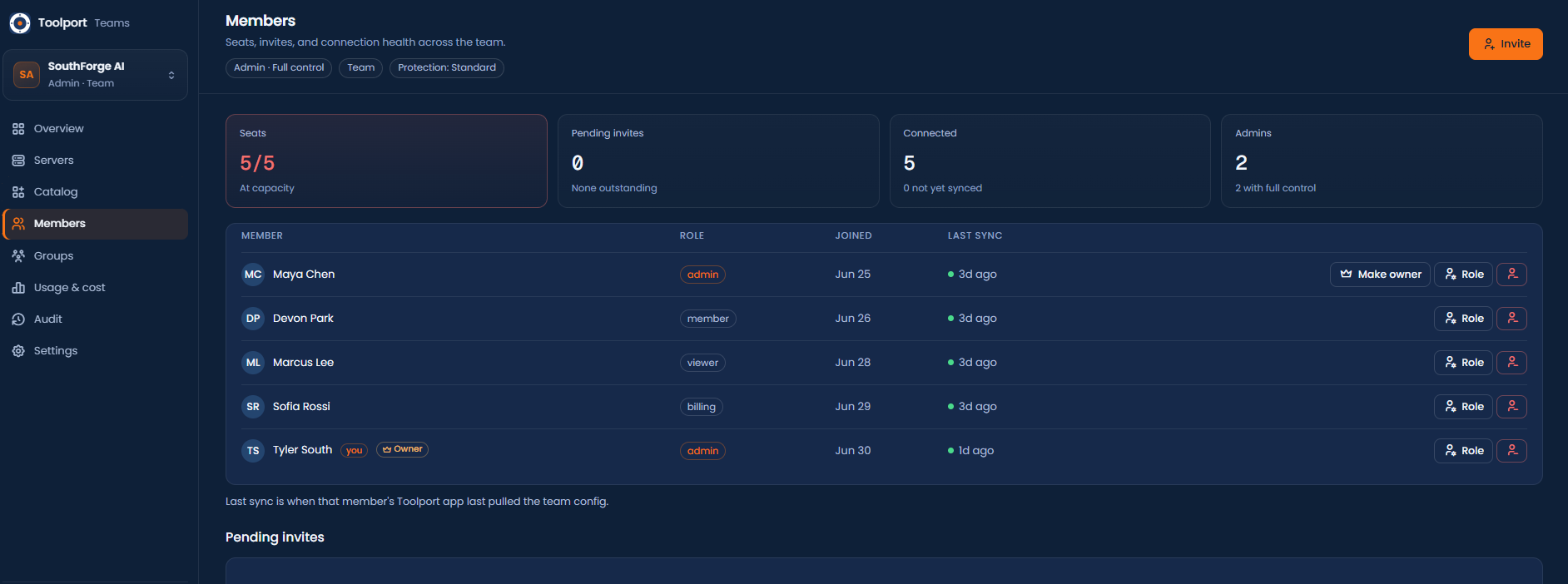
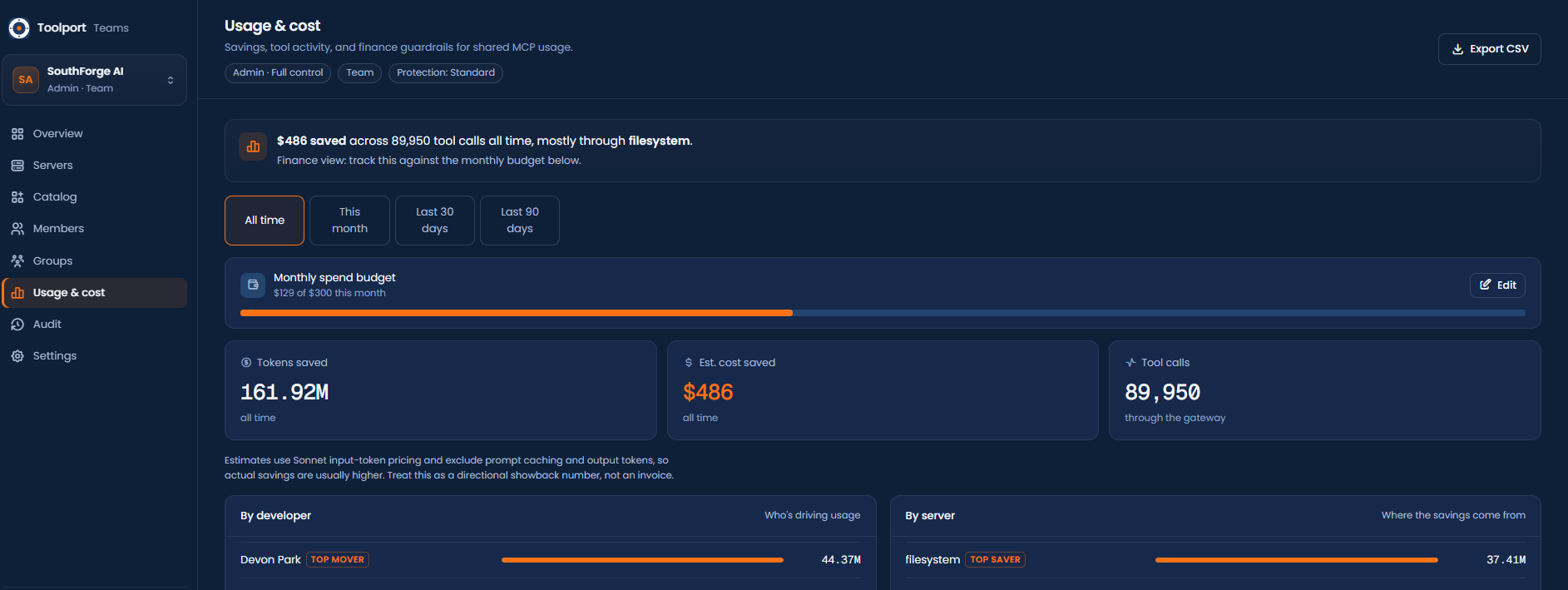
Checking an mcp.json into the repo shares a list. Teams keeps approved definitions in sync and applies policy to managed calls routed through participating Toolport gateways. Each person supplies their own credentials locally.
Team safety policy is tighten-only within participating Toolport gateways. It covers managed calls routed through them, not arbitrary AI-client activity outside Toolport.
A new hire gets the whole server set without anyone passing a key around. Each person authenticates locally; secrets never land in a repo, a PR, or a shared vault.
A file can't make an agent stop and ask before something destructive, or quarantine a tool whose definition changed under you. Toolport applies these checks as managed calls pass through its gateway.
Use the shared set from supported clients such as Claude, Cursor, and Codex. Each member connects their AI client to Toolport and selects the managed server.
Start free for a small team sharing a set of servers. Move to Team when you need access control, per-tool policy, rate limits, signed webhooks, full audit, and coverage receipts. Every plan runs hosted by us or self-hosted on your own network, both are just below. How this compares to Cloudflare MCP portals →
For a small team sharing one set of MCP servers.
or $390/year for 5 people ($39 × 10). Choose annual at checkout.
Then $12/month per additional person. For teams that need to govern and control access. Everything in Free, plus:
For scale, compliance, and identity. These are roadmap capabilities we scope with you before you commit, not self-serve today. Everything in Team, plus:
| Free · up to 5 | $0/mo |
| Team · up to 5 | $39/mo |
| 10 people | $99/mo |
| 25 people | $279/mo |
| 50 people | $579/mo |
Free covers up to 5 people. Team is $39/mo for up to 5, then $12/mo per additional person.
Annual is 10 months of monthly pricing: $390 for 5 + $120 per additional person ($12 × 10). Ten people: $99/month or $990/year. Same price hosted or self-hosted.
Explore estimated schema token-equivalents for your setup. Modeled list-price values do not measure bills or plan quotas. Model schema overhead →
Hosted is the quickest start. Choose self-hosting to run Teams control-plane and reporting state on your infrastructure. The product and price are the same either way.
Yes. Local commands (stdio) and private-network endpoints require local review before use where applicable. Each member needs the local dependencies, network access, and credentials that server requires. Team policy covers managed calls through participating Toolport gateways.
Teams syncs approved server definitions alongside personal servers. Team policy applies to managed calls routed through participating Toolport gateways, not activity in clients that bypass them. Receipts report client state; they are not tamper-proof device attestation.
No. Teams shares server definitions without uploading members' credential values. Each member reviews the setup and authenticates locally. Credentials are used with the configured upstream service. Sharing an existing personal server leaves the personal original yours.
Free for up to 5 people. Team is $39/month including 5 people, plus $12/month per additional person. Annual billing is 10 months of monthly pricing: $390/year for 5, plus $120/year per additional person ($12 × 10). Ten people cost $99/month or $990/year. Hosted and self-hosted pricing is the same. The core Toolport app is free and open source.
Yes. Teams control-plane and reporting state can run on your infrastructure using the Docker image. Configured upstream MCP and model services still receive the requests you intentionally send them. The setup below also uses GitHub sign-in. Free supports up to 5 people without a license.
Toolport supports 35 AI clients, including Claude Desktop, Claude Code, Cursor, VS Code, and Codex. Connect your client to the Toolport gateway and select the managed server. Review and local authentication come before use.
Cloudflare MCP portals center on remote HTTP MCP at the edge with Access-style identity. Toolport is local-first: the shared server set and policy sync from Teams, secrets stay on each member's machine, and participating local gateways apply tool-call rate limits, per-tool allow-lists, and safety policy to managed calls routed through them. Apply receipts report client state, not device attestation. SAML/OIDC SSO is Enterprise roadmap. See the full honest comparison at toolport.app/compare/cloudflare/.
Keep Teams control-plane and reporting state on infrastructure you operate. Configured upstream MCP and model services still receive the requests you intentionally send them. Members authenticate locally. The Docker setup below needs a server, a domain with ports 80 and 443 open, and a GitHub OAuth app for sign-in.
The Docker image and default database path still use conduit-teams for backward compatibility; it is the current Toolport for Teams server.
https://teams.yourco.com (your domain) and Authorization callback URL to https://teams.yourco.com/auth/github/callback. Copy the Client ID and generate a Client secret..env beside it, then docker compose up -d (Caddy fetches HTTPS automatically): TEAMS_DOMAIN and TOOLPORT_TEAMS_BASE_URL (your https domain), TOOLPORT_TEAMS_BOOTSTRAP (openssl rand -hex 16), GITHUB_CLIENT_ID / GITHUB_CLIENT_SECRET from step 1, and leave TOOLPORT_TEAMS_LICENSE unset for the free 5-seat tier.
# docker-compose.yml
services:
  toolport-teams:
    image: ghcr.io/btsouth/conduit-teams:latest
    restart: unless-stopped
    environment:
      TOOLPORT_TEAMS_BIND: 0.0.0.0:8787
      TOOLPORT_TEAMS_DB: /data/conduit-teams.db
      TOOLPORT_TEAMS_BASE_URL: ${TOOLPORT_TEAMS_BASE_URL}   # https://teams.yourco.com
      TOOLPORT_TEAMS_BOOTSTRAP: ${TOOLPORT_TEAMS_BOOTSTRAP}  # openssl rand -hex 16
      GITHUB_CLIENT_ID: ${GITHUB_CLIENT_ID}
      GITHUB_CLIENT_SECRET: ${GITHUB_CLIENT_SECRET}
      TOOLPORT_TEAMS_LICENSE: ${TOOLPORT_TEAMS_LICENSE}      # omit for the free 5-seat tier
    volumes: ["teams-data:/data"]
    expose: ["8787"]
  caddy:
    image: caddy:2
    restart: unless-stopped
    depends_on: [toolport-teams]
    ports: ["80:80", "443:443"]
    command: caddy reverse-proxy --from ${TEAMS_DOMAIN} --to toolport-teams:8787
    volumes: ["caddy-data:/data", "caddy-config:/config"]
volumes:
  teams-data:
  caddy-data:
caddy-config:https://teams.yourco.com, click Sign in with GitHub, then Create team → Add server → Invite, all in the browser.Cert won't issue? It's almost always DNS not propagated yet or port 80 firewalled. Bought a Team license? Paste it as TOOLPORT_TEAMS_LICENSE and restart to turn on Team on your server. Left unset, it stays free for up to 5.
Free for up to 5 people, no card. Connect Toolport, share a working server, and invite a teammate.
Create a free teamTeam is self-serve and live. For SSO/SCIM, audit streaming to your SIEM, a dedicated or on-prem deployment, or a larger rollout, tell us your setup and we'll get you set up directly. Your keys still stay on each member's machine, Toolport syncs the server set, never a secret.