One shared server set
Define your team's MCP servers once. Every member's Toolport syncs the same set, non-destructively, right alongside their own.
Give every teammate the same approved MCP servers across Claude, Cursor, Codex, and 18 more AI agents. Choose the stack once; each person adds their own credentials locally. Free for 5 people, no card.
No account yet? Continuing creates one. Sign in with Google, GitHub, or email. Evaluating against edge portals? Toolport vs Cloudflare MCP portals.
Start in the browser. Connect the desktop app when you are ready.
Use Google, GitHub, or an email magic link. No separate registration form.
Start with a curated stack or add the MCP servers you already use.
Teammates connect locally, so their credentials never pass through the dashboard.

Your team's shared server set, your members, and the tokens you're all saving, in one dashboard.
Define your team's MCP servers once. Every member's Toolport syncs the same set, non-destructively, right alongside their own.
Only the server set syncs, never a secret. Each member authenticates locally and keys stay in their OS keychain. No central credential vault to breach.
Per-server access, per-tool allow-lists, and a tighten-only safety policy members cannot loosen. Apply receipts show which clients actually enforced the policy. Servers on a private or local network are refused so a shared config cannot become a path into internal systems.
Usage and cost as CSV, org audit events, and opt-in per-call export (tool, time, duration, ok, args hash; never args or results). Free keeps 14 days; Team keeps full history.
The same lazy-discovery token cut, multiplied across every agent and developer on your team. Context stays flat as you add servers.
Start on our cloud in a minute, no infrastructure to run. Or self-host on your own network for full data sovereignty when compliance demands it. Same product, your call.
The shared server set, members, roles, and usage all sit in one place, nothing to dig for in config.
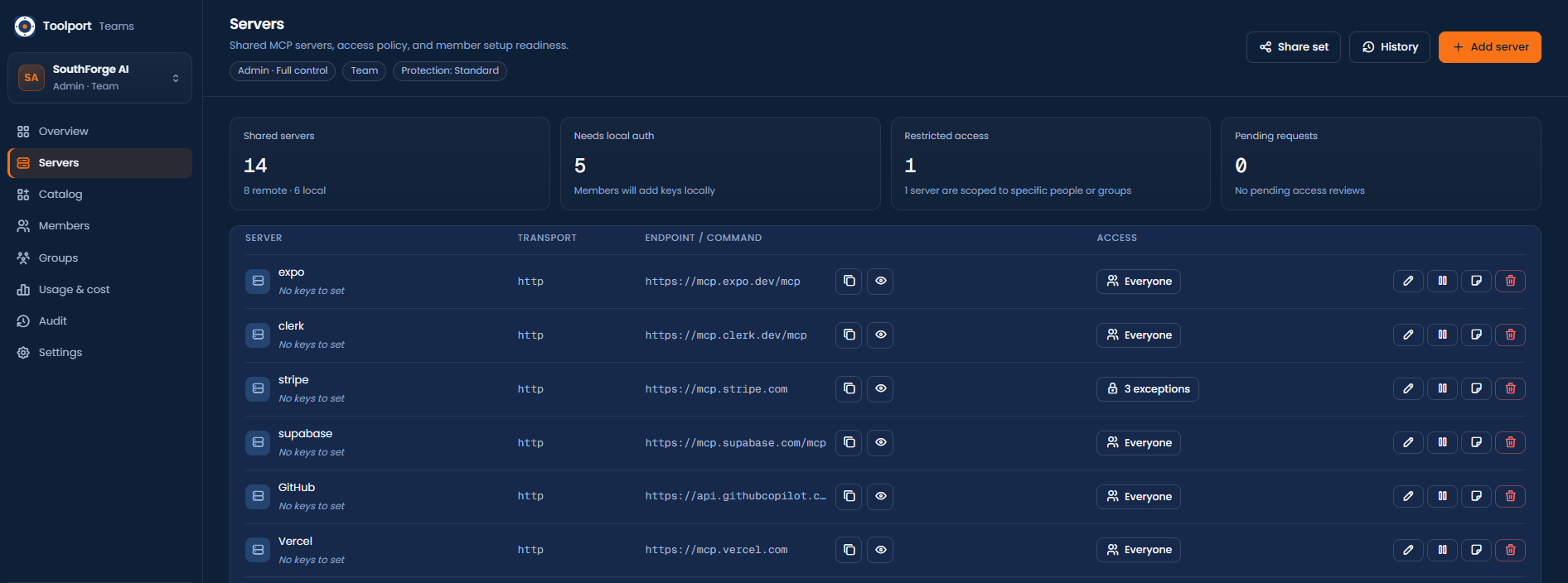
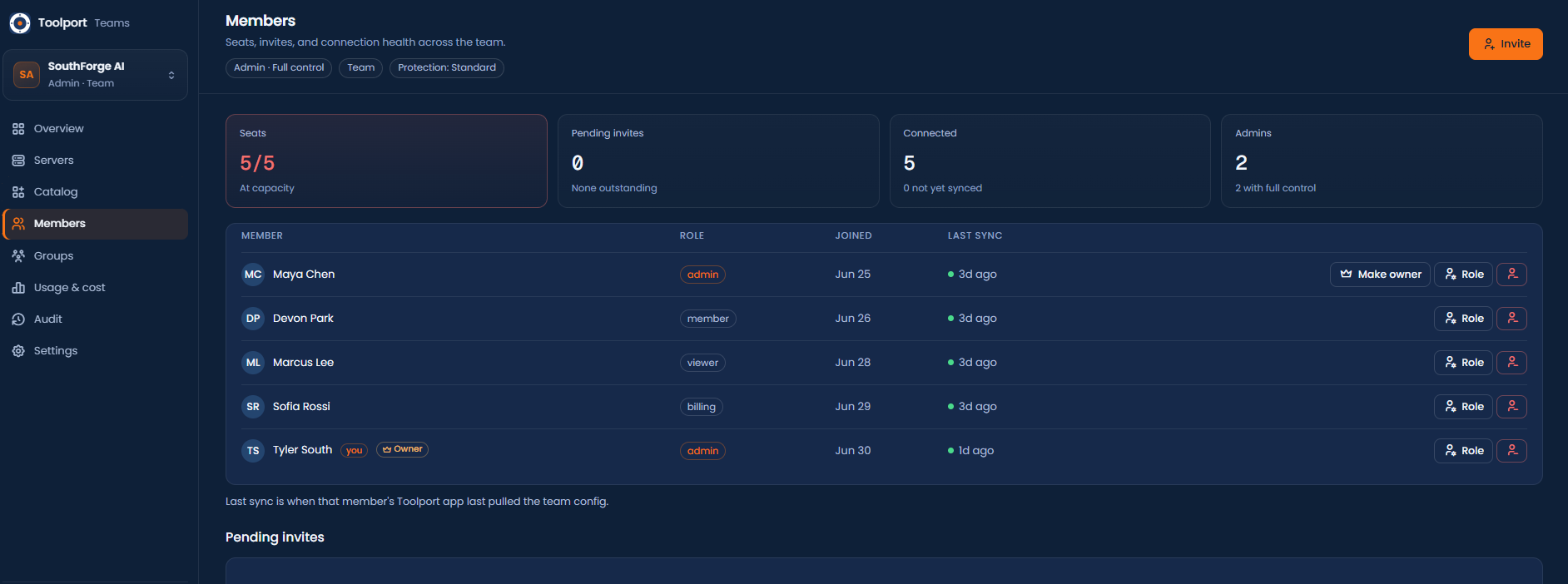
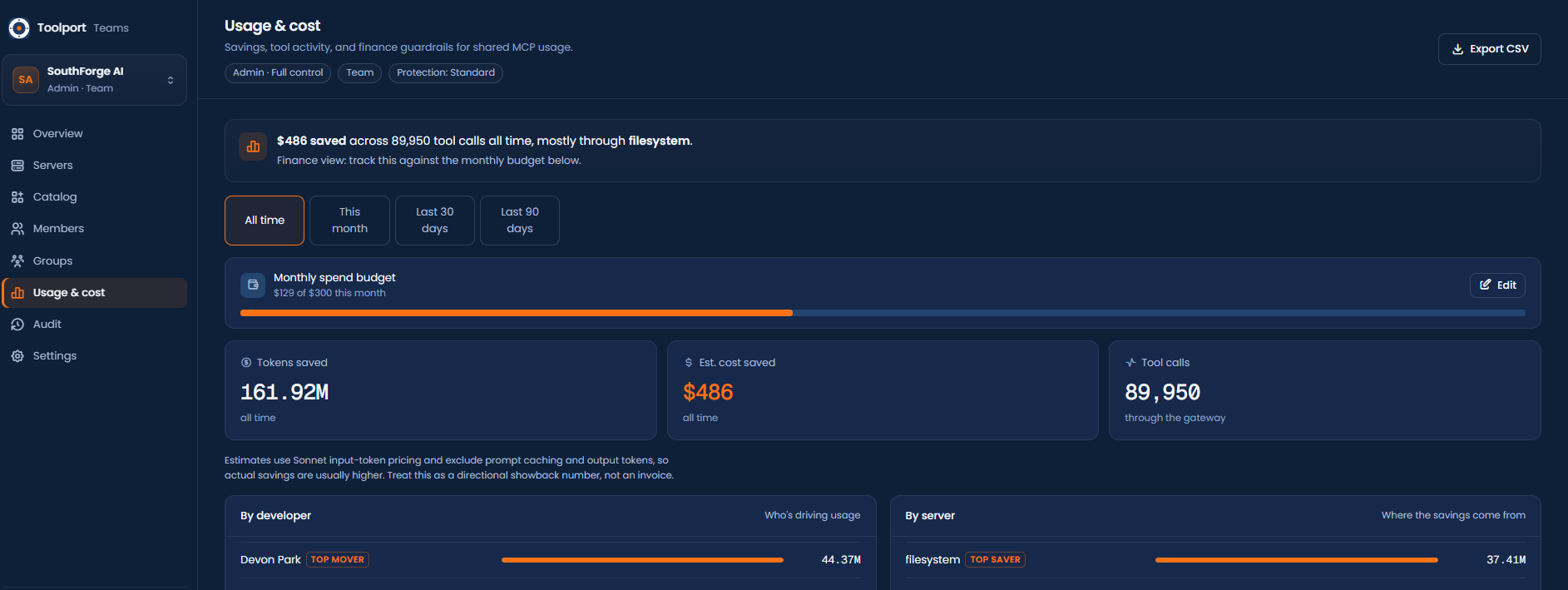
Checking an mcp.json into the repo shares a list. Toolport shares a setup you can actually enforce, with secrets kept out of the repo and a safety policy applied on every machine. That's the part that matters once more than one person is involved.
A checked-in file is advice a teammate can ignore or edit. Toolport applies the shared set and the safety policy on every member's machine, tighten-only, and a member can't silently loosen it.
A new hire gets the whole server set without anyone passing a key around. Each person authenticates locally; secrets never land in a repo, a PR, or a shared vault.
A file can't make an agent stop and ask before something destructive, or quarantine a tool whose definition changed under you. Toolport does that live, as calls happen.
The same set syncs to Claude, Cursor, and every other AI agent each member runs. A dotfile is per-tool and per-machine, and drifts the moment someone edits theirs.
Start free for a small team sharing a set of servers. Move to Team when you need access control, per-tool policy, rate limits, signed webhooks, full audit, and coverage receipts. Every plan runs hosted by us or self-hosted on your own network, both are just below. How this compares to Cloudflare MCP portals →
For a small team sharing one set of MCP servers.
or $390/year (2 months free). Choose annual at checkout.
Then $12/person. For teams that need to govern and control access. Everything in Free, plus:
For scale, compliance, and identity. These are roadmap capabilities we scope with you before you commit, not self-serve today. Everything in Team, plus:
| Free · up to 5 | $0/mo |
| Team · up to 5 | $39/mo |
| 10 people | $99/mo |
| 25 people | $279/mo |
| 50 people | $579/mo |
Free covers up to 5 people. Team is $39/mo for up to 5, then $12/mo per person. Same price hosted or self-hosted.
The token savings across a team usually dwarf the seat price. Estimate your savings →
Hosted is the quickest start. Choose self-hosting when compliance needs data to stay on your network. The product and price are the same either way.
For teams that need data sovereignty, the Teams server runs entirely on your infrastructure. Nothing leaves your network, keys and secrets never touch our servers, and you own the audit trail end to end. Air-gap friendly. Docker pulls the prebuilt image, no source build. You need a server you control, a domain pointed at it (ports 80 + 443 open), and a free GitHub OAuth app for sign-in.
The Docker image and default database path still use conduit-teams for backward compatibility; it is the current Toolport for Teams server.
https://teams.yourco.com (your domain) and Authorization callback URL to https://teams.yourco.com/auth/github/callback. Copy the Client ID and generate a Client secret..env beside it, then docker compose up -d (Caddy fetches HTTPS automatically): TEAMS_DOMAIN and TOOLPORT_TEAMS_BASE_URL (your https domain), TOOLPORT_TEAMS_BOOTSTRAP (openssl rand -hex 16), GITHUB_CLIENT_ID / GITHUB_CLIENT_SECRET from step 1, and leave TOOLPORT_TEAMS_LICENSE unset for the free 5-seat tier.
# docker-compose.yml
services:
  toolport-teams:
    image: ghcr.io/tsouth89/conduit-teams:latest
    restart: unless-stopped
    environment:
      TOOLPORT_TEAMS_BIND: 0.0.0.0:8787
      TOOLPORT_TEAMS_DB: /data/conduit-teams.db
      TOOLPORT_TEAMS_BASE_URL: ${TOOLPORT_TEAMS_BASE_URL}   # https://teams.yourco.com
      TOOLPORT_TEAMS_BOOTSTRAP: ${TOOLPORT_TEAMS_BOOTSTRAP}  # openssl rand -hex 16
      GITHUB_CLIENT_ID: ${GITHUB_CLIENT_ID}
      GITHUB_CLIENT_SECRET: ${GITHUB_CLIENT_SECRET}
      TOOLPORT_TEAMS_LICENSE: ${TOOLPORT_TEAMS_LICENSE}      # omit for the free 5-seat tier
    volumes: ["teams-data:/data"]
    expose: ["8787"]
  caddy:
    image: caddy:2
    restart: unless-stopped
    depends_on: [toolport-teams]
    ports: ["80:80", "443:443"]
    command: caddy reverse-proxy --from ${TEAMS_DOMAIN} --to toolport-teams:8787
    volumes: ["caddy-data:/data", "caddy-config:/config"]
volumes:
  teams-data:
  caddy-data:
caddy-config:https://teams.yourco.com, click Sign in with GitHub, then Create team → Add server → Invite, all in the browser.Cert won't issue? It's almost always DNS not propagated yet or port 80 firewalled. Bought a Team license? Paste it as TOOLPORT_TEAMS_LICENSE and restart to turn on Team on your server. Left unset, it stays free for up to 5.
Free for up to 5 people. About 15 seconds, no card.
Create a free teamTeam is self-serve and live. For SSO/SCIM, audit streaming to your SIEM, a dedicated or on-prem deployment, or a larger rollout, tell us your setup and we'll get you set up directly. Your keys still stay on each member's machine, Toolport syncs the server set, never a secret.